Tracking stats doesn't have to be complicated. Start with a few numbers, make one person responsible for each game, and look at the results afterwards. Here's a simple way to do it for a youth hockey team.
Why track stats at all
Stats show you what's hard to see from the bench. Are you taking more shots than you give up? Is the power play working? Who's winning face-offs? How are your goalies holding up? They also turn a debate into a number, so a decision about lines or playing time rests on what happened, not on how the last game felt.
Start with what you'll actually use
The most common mistake is tracking too much. Begin with a short list, and add more only when you're looking at the numbers and want to know more. If you won't look at it, don't track it.
| Start with | Add when you're ready |
|---|---|
| Goals and assists | Face-offs |
| Shots on goal | Plus/minus |
| Where shots came from | Power play and penalty kill |
| Penalties | Shot attempts, including misses |
| Goalie saves and goals against | Icings and offsides |
A few terms, in plain words:
- Shots on goal: shots that reach the net and are either saved or score.
- Save %: the share of shots on goal that a goalie stops.
- Face-off %: face-offs won, divided by face-offs taken.
- Plus/minus:for each skater, the goals scored by their team minus the goals scored against it while they were on the ice. Power-play goals don't count.
- Power play %: how often your power plays turn into goals.
Pick one tracker for every game
Give tracking to one person each game: a team manager, an assistant coach or a volunteer parent. Your head coach should be coaching, not tracking. If you rotate the job, agree on what counts as a shot or an assist before the season starts, so the numbers mean the same thing in October and in March.
Log it as it happens
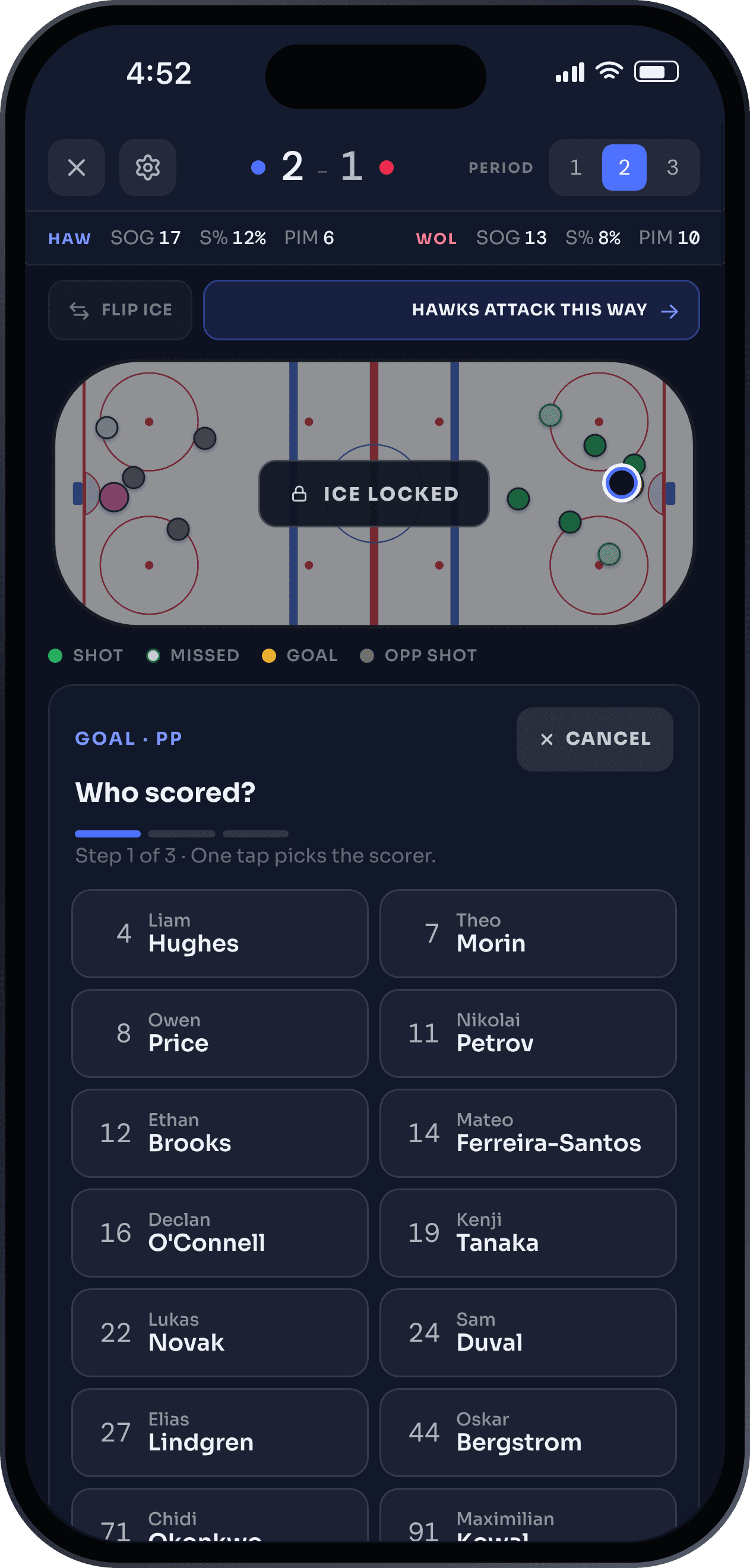
Track live, one play at a time: the shot, who took it and where it came from. For a goal, add the scorer and the assists. Entering a game from memory afterwards is where most mistakes come from.
Paper works if you have a good template. An app is faster, because it does the math for you and keeps every game in one place.
Look at it after the game
Check the log first and fix any mistakes while the game is fresh. Then look at three things: shots for and against, how your special teams did, and how your goalies did. That's enough for most teams after a game. Save the deeper digging for when you have a few games to compare.
Decide who sees the numbers
Settle this before the season starts. Some teams share stats with just the coaching staff. Others include the manager or invite parents. Any of these is fine, as long as the coach decides and everyone knows the rule.
Read the season, not just the game
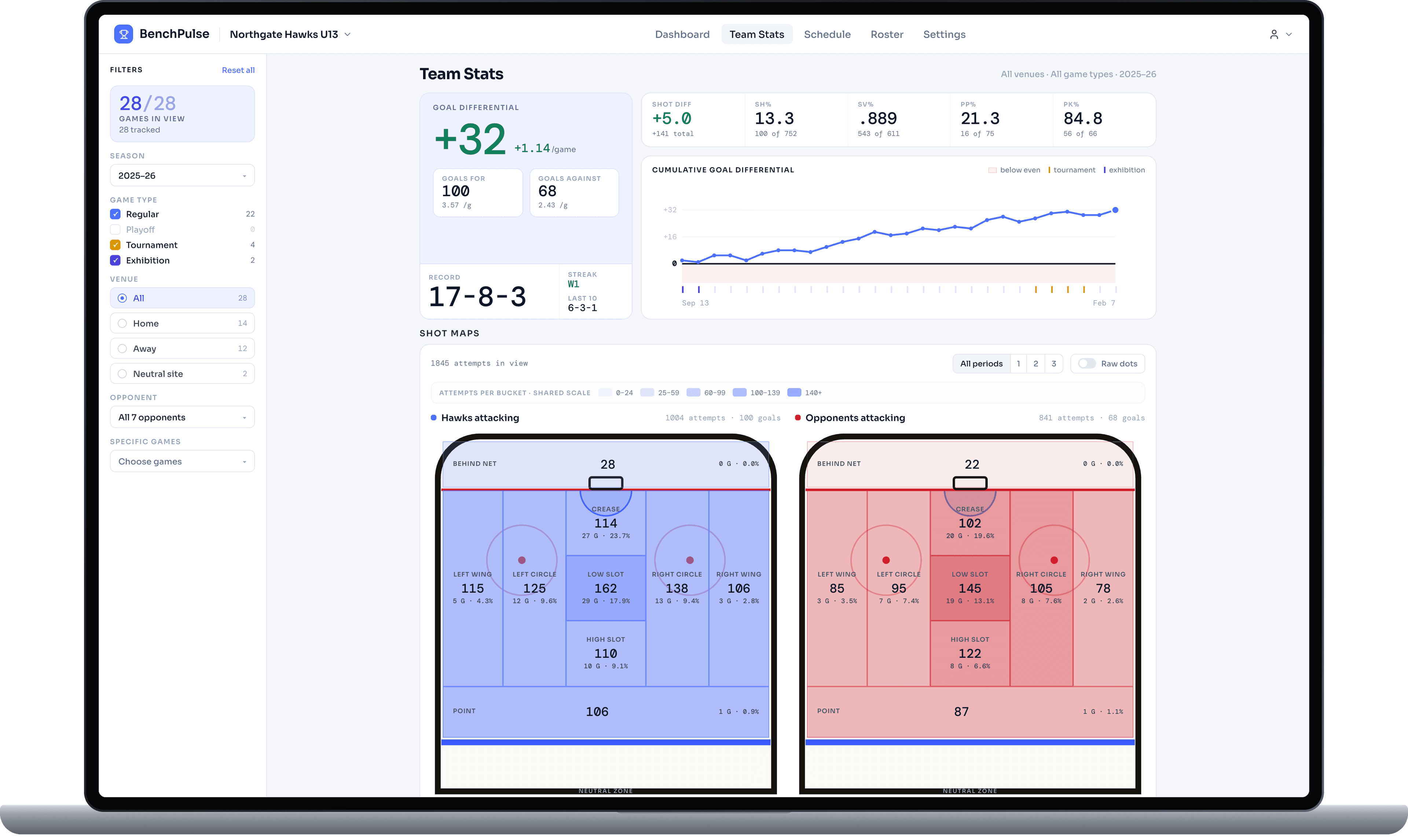
One game is a small sample, so look for patterns over several. Filter your numbers by game type, opponent and venue (home, away or a neutral site), to see whether the team plays differently in tournaments or against stronger teams. Early in the season, treat any percentage with care, because a few face-offs or shots can swing it a long way.
Common mistakes
- Tracking too many things at once.
- Changing what counts as a stat in the middle of the season.
- Entering a game from memory a day later.
- Asking the person who's coaching to track as well.
- Judging a player on a single game.
Tracking hockey stats in BenchPulse
BenchPulse is built for exactly this. Track live from the bench on a phone, tablet or laptop, and tap where each shot came from. Face-offs, plus/minus, icings and offsides are optional, so you turn on only what your team wants. If the wifi drops, nothing is lost: every entry is saved on your device and syncs when the signal comes back.
Every event stays editable after the game, and you decide who sees the stats. You can also download your data as an Excel workbook or CSV files.
BenchPulse is free for your team, and you can start any time, even mid-season. Sign up for free or see BenchPulse for hockey.